Oct 18, 2025 | SharePoint |
1. Introduction à la numérisation des services publics pour les organismes gouvernementaux
La numérisation des services publics pour les organismes gouvernementaux n’est plus facultative, c’est une nécessité. Les citoyens s’attendent à des services rapides, transparents et accessibles. Les processus traditionnels sur papier ralentissent la prestation des services et augmentent les coûts opérationnels. Microsoft SharePoint offre une plateforme sécurisée et évolutive pour moderniser les services publics.
Pourquoi la numérisation est-elle importante ?
- Efficacité : Réduire la paperasserie et les processus manuels.
- Transparence : Améliorer la responsabilisation et la confiance des citoyens.
- Accessibilité : Fournir des services en ligne, à tout moment, n’importe où.
La numérisation des services publics pour les organismes gouvernementaux assure une meilleure gouvernance et une expérience citoyenne améliorée.
2. Pourquoi Microsoft SharePoint ?
Microsoft SharePoint est une plateforme robuste pour la gestion documentaire, la collaboration et l’automatisation des flux de travail. Il permet aux organismes gouvernementaux de créer des portails sécurisés, de gérer les dossiers et de rationaliser les processus.
Pourquoi utiliser SharePoint pour les services publics ?
- Collaboration sécurisée : Conformité et chiffrement intégrés.
- Automatisation des flux de travail : Automatiser les approbations et les demandes de service.
- Intégration : Fonctionne avec Microsoft 365 et les systèmes gouvernementaux.
- Évolutivité : Convient aux organismes locaux, régionaux et nationaux.
3. 10 façons dont Microsoft SharePoint transforme la prestation de services publics
Voici dix façons pratiques dont SharePoint numérise les services publics :
1. Portails de services aux citoyens
Créer des portails en ligne pour les demandes de service et les applications.
Avantage : Améliore l’accessibilité et réduit les visites en personne.
2. Gestion documentaire
Numériser et stocker les documents officiels en toute sécurité.
Avantage : Élimine les inefficacités liées au papier.
3. Automatisation des flux de travail
Automatiser les approbations pour les permis, les licences et les avantages.
Avantage : Accélère la prestation des services.
4. Collaboration sécurisée
Permettre la collaboration interdépartementale avec un accès basé sur les rôles.
Avantage : Protège les données gouvernementales sensibles.
5. Gestion des dossiers
Maintenir la conformité aux politiques de conservation et aux pistes d’audit.
Avantage : Simplifie la production de rapports réglementaires.
6. Intégration aux systèmes de gouvernement électronique
Connecter SharePoint aux plateformes ERP et CRM.
Avantage : Crée un écosystème numérique unifié.
7. Accès mobile
Fournir au personnel et aux citoyens un accès via des appareils mobiles.
Avantage : Prend en charge les opérations à distance et sur le terrain.
8. Annonces publiques
Publier des avis et des mises à jour sur les sites SharePoint.
Avantage : Améliore la transparence et la communication.
9. Commentaires et sondages
Recueillir les commentaires des citoyens grâce à des formulaires intégrés.
Avantage : Améliore la qualité du service et l’engagement.
10. Analyse et rapports
Générer des tableaux de bord pour les mesures de performance des services.
Avantage : Permet une prise de décision axée sur les données.
4. Principaux avantages de Microsoft SharePoint pour les organismes gouvernementaux
- Efficacité améliorée : Automatise les processus manuels.
- Sécurité renforcée : Plateforme prête à la conformité pour les données sensibles.
- Meilleure expérience citoyenne : Portails en ligne et accès mobile.
- Réduction des coûts : Réduit le papier et les frais administratifs.
- Évolutivité : Fonctionne pour les petites municipalités et les grands organismes.
5. Cas d’utilisation courants
- Demandes de permis : Automatiser la soumission et les flux de travail d’approbation.
- Accès aux documents publics : Fournir aux citoyens un accès sécurisé aux documents.
- Collaboration interorganismes : Partager les ressources entre les services.
- Publication des politiques : Diffuser les règlements et les directives en ligne.
- Collecte des commentaires des citoyens : Utiliser des formulaires et des sondages pour l’engagement.
6. Exemples concrets de Microsoft SharePoint dans les services gouvernementaux
Voici des exemples détaillés de la façon dont les organismes utilisent SharePoint :
Exemple 1 : Administration municipale
Une administration municipale utilise SharePoint pour les demandes de permis et la gestion documentaire.
- Résultat : Réduction du temps de traitement de 50 % et amélioration de la satisfaction des citoyens.
Exemple 2 : Organisme d’État
Un organisme d’État tire parti de SharePoint pour l’automatisation des flux de travail et la production de rapports de conformité.
- Résultat : Approbations rationalisées et audits simplifiés.
Exemple 3 : Administration fiscale nationale
Un service des impôts utilise SharePoint pour la collaboration sécurisée et les annonces publiques.
- Résultat : Transparence accrue et réduction des coûts opérationnels.
Exemple 4 : Service de santé publique
Un organisme de santé intègre SharePoint aux formulaires de commentaires et aux tableaux de bord d’analyse.
- Résultat : Amélioration de la prestation des services et réponse plus rapide aux besoins des citoyens.
7. Guide étape par étape pour configurer Microsoft SharePoint
Suivez ces étapes pour mettre en œuvre SharePoint pour les services publics :
- Connectez-vous à SharePoint : Accédez via le portail Microsoft 365.
- Créer des sites et des bibliothèques : Organiser par service ou type de service.
- Configurez les autorisations : Appliquez des contrôles d’accès basés sur les rôles.
- Activez les flux de travail : Automatisez les approbations et les notifications.
- Intégrer des applications : Connecter les systèmes ERP, CRM et de gouvernement électronique.
Conseil de pro : Utiliser les modèles SharePoint pour les portails gouvernementaux afin d’accélérer le déploiement.
8. Meilleures pratiques
- Appliquer les politiques de conformité : Assurer le respect des règlements.
- Utiliser les métadonnées pour les documents : Améliorer la recherche et la récupération.
- Activer l’authentification multifacteur : Protéger les données sensibles.
- Examiner régulièrement les journaux d’audit : Maintenir la transparence et la sécurité.
- Former le personnel et les citoyens : Promouvoir l’adoption et la convivialité.
9. Défis et comment les surmonter
Bien que SharePoint simplifie la numérisation, les organismes peuvent être confrontés à des défis :
- Adoption par les utilisateurs : Fournir une formation et un soutien.
- Complexité de l’intégration : Utiliser des connecteurs certifiés pour les systèmes gouvernementaux.
- Gestion des coûts : Surveillez l’utilisation des fonctionnalités Premium.
- Mises à jour de conformité : Restez informé des changements réglementaires.
Solution : Commencer par les fonctionnalités de base et évoluer progressivement.
10. Conclusion
Microsoft SharePoint redéfinit la prestation de services publics en offrant des portails sécurisés, l’automatisation des flux de travail et des outils de collaboration intégrés. Les organismes gouvernementaux qui adoptent SharePoint gagnent en efficacité, en transparence et en confiance des citoyens.
🚀 Prêt à moderniser vos services publics ?
Que vous soyez une municipalité locale ou un organisme national, SharePoint peut vous aider à numériser les processus, à améliorer l’efficacité et à accroître la confiance des citoyens.
👉 Laissez Motekx vous aider à démarrer.
Nous sommes spécialisés dans la transformation numérique pour les organismes gouvernementaux, offrant des conseils gratuits, des configurations SharePoint personnalisées et des solutions informatiques de bout en bout adaptées à vos besoins.
📞 Contactez-nous dès aujourd’hui pour planifier une séance de découverte gratuite.
📧 Courriel : info@motekx.be
Construisons ensemble des services publics plus intelligents, plus rapides et plus connectés.
Oct 18, 2025 | SharePoint |
1. Introduction to Secure Patient Records for Healthcare
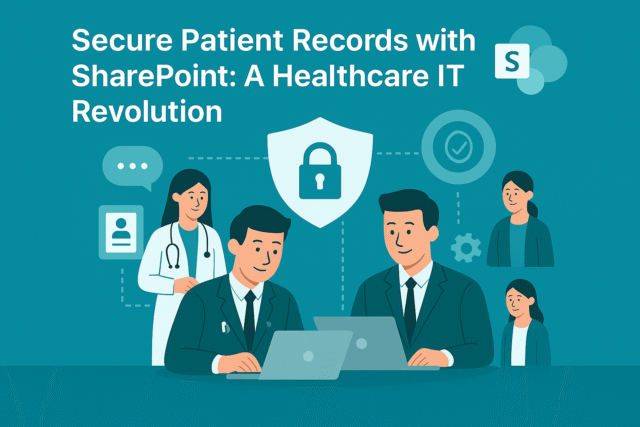
Secure Patient Records for Healthcare is a top priority for hospitals, clinics, and medical practices. Patient data includes sensitive information such as medical history, prescriptions, and insurance details. Protecting this data is not only a legal requirement under HIPAA and GDPR but also essential for maintaining patient trust.
Why Is Data Security Important in Healthcare?
- Compliance: Avoid penalties by meeting HIPAA and GDPR standards.
- Patient Trust: Secure systems build confidence in healthcare providers.
- Operational Efficiency: Digital records reduce paperwork and errors.
Secure Patient Records for Healthcare ensures confidentiality, integrity, and accessibility of medical data.
2. Why Microsoft SharePoint?
Microsoft SharePoint is a robust platform for document management and collaboration, designed with enterprise-grade security features. It helps healthcare organizations digitize records while maintaining compliance.
Why Use SharePoint for Healthcare Records?
- Encryption: Protects data at rest and in transit.
- Compliance Tools: Built-in HIPAA and GDPR support.
- Access Control: Role-based permissions for sensitive data.
- Integration: Works with Microsoft 365 and EHR systems.
3. 10 Ways Microsoft SharePoint Protects Patient Records
Here are ten practical ways SharePoint secures healthcare data:
1. Encrypted Storage
All patient records are encrypted at rest and in transit.
Benefit: Prevents unauthorized access during storage and transfer.
2. Role-Based Access Control
Assign permissions based on user roles (doctor, nurse, admin).
Benefit: Limits exposure of sensitive data.
3. Multi-Factor Authentication
Require MFA for all users accessing patient records.
Benefit: Adds an extra layer of security.
4. Data Loss Prevention (DLP)
Prevent accidental sharing of sensitive information.
Benefit: Ensures compliance with healthcare regulations.
5. Secure Document Libraries
Store medical records in dedicated, secure libraries.
Benefit: Organizes data and enhances security.
6. Compliance Auditing
Maintain logs for HIPAA and GDPR audits.
Benefit: Simplifies regulatory reporting.
7. Integration with EHR Systems
Connect SharePoint with electronic health record platforms.
Benefit: Creates a unified patient data ecosystem.
8. Mobile Security
Enable secure access on mobile devices with conditional policies.
Benefit: Supports doctors and nurses on the go.
9. Automated Workflows
Digitize processes like patient consent and insurance approvals.
Benefit: Reduces manual errors and speeds up operations.
10. Backup and Disaster Recovery
Ensure data redundancy and quick recovery in case of outages.
Benefit: Protects against data loss and downtime.
4. Key Benefits of Microsoft SharePoint for Healthcare Providers
- Regulatory Compliance: Built-in HIPAA and GDPR support.
- Enhanced Security: Encryption, MFA, and DLP policies.
- Improved Efficiency: Automates workflows and reduces paperwork.
- Better Patient Experience: Secure and fast access to records.
- Scalability: Works for small clinics and large hospital networks.
5. Common Use Cases
- Electronic Medical Records (EMR): Store and manage patient files securely.
- Consent Management: Automate patient consent workflows.
- Insurance Documentation: Digitize claims and approvals.
- Inter-Department Collaboration: Share data securely across departments.
- Compliance Reporting: Generate audit-ready logs and reports.
6. Real-World Examples of Microsoft SharePoint for Patient Data Security
Here are detailed examples of how healthcare organizations use SharePoint:
Example 1: Regional Hospital Network
A hospital network uses SharePoint for secure document libraries and compliance auditing.
- Result: Reduced HIPAA audit preparation time by 60%.
Example 2: Private Clinic
A clinic leverages SharePoint for role-based access and mobile security.
- Result: Improved data protection and faster patient care.
Example 3: Health Insurance Provider
An insurance company integrates SharePoint with automated workflows for claims processing.
- Result: Reduced processing time and improved accuracy.
Example 4: Telehealth Service
A telehealth provider uses SharePoint for secure file sharing and EHR integration.
- Result: Enhanced patient trust and streamlined virtual consultations.
7. Step-by-Step Guide to Setup Microsoft SharePoint
Follow these steps to implement SharePoint for healthcare records:
- Sign in to SharePoint: Access via Microsoft 365 portal.
- Create Secure Libraries: Organize by patient or department.
- Configure Permissions: Apply role-based access controls.
- Enable Compliance Features: Activate HIPAA and GDPR settings.
- Integrate Apps: Connect EHR and insurance systems.
Pro Tip: Use SharePoint templates for healthcare compliance to speed up deployment.
8. Best Practices
- Enable MFA for All Users: Reduce unauthorized access risks.
- Apply DLP Policies: Prevent accidental data leaks.
- Use Metadata for Records: Improve search and retrieval.
- Regularly Review Audit Logs: Maintain compliance and detect anomalies.
- Train Staff on Security Protocols: Promote best practices.
9. Challenges and How to Overcome
While SharePoint simplifies healthcare data management, organizations may face challenges:
- User Adoption: Provide training and onboarding sessions.
- Integration Complexity: Use certified connectors for EHR systems.
- Cost Management: Monitor premium feature usage.
- Compliance Updates: Stay informed about regulatory changes.
Solution: Start with core security features and scale gradually.
10. Conclusion
Microsoft SharePoint transforms healthcare data management by offering encrypted storage, compliance tools, and workflow automation. Providers that adopt SharePoint gain efficiency, security, and patient trust.
🚀 Ready to Revolutionize Your Healthcare IT?
Whether you’re managing a single clinic or a multi-location hospital network, SharePoint can secure your patient records and streamline operations.
👉 Let Motekx help you get started.
We specialize in digital transformation for healthcare organizations—offering free consulting, custom SharePoint setups, and end-to-end IT solutions tailored to your needs.
📞 Contact us today to schedule a free discovery session.
📧 Email: info@motekx.be
Let’s build a safer, smarter, and more connected healthcare system—together.
Oct 18, 2025 | SharePoint |
1. Introduction to Document Management in Manufacturing Plants
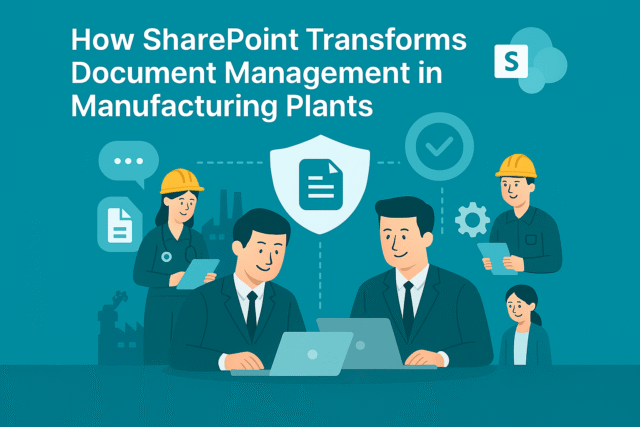
Document Management in Manufacturing Plants is critical for maintaining operational efficiency, compliance, and safety. Manufacturing environments generate vast amounts of documentation—such as SOPs, quality control reports, maintenance logs, and compliance certificates. Managing these documents manually leads to inefficiencies and risks.
Why Is Document Management Important?
- Compliance: Meet ISO, OSHA, and industry standards.
- Operational Efficiency: Reduce downtime caused by missing or outdated documents.
- Data Security: Protect sensitive production and design information.
Document Management in Manufacturing Plants ensures accuracy, accessibility, and compliance across all operations.
2. Why Microsoft SharePoint?
Microsoft SharePoint is a robust platform for document storage, collaboration, and workflow automation. It provides manufacturing plants with a centralized, secure, and scalable solution for managing critical documents.
Why Use SharePoint for Manufacturing?
- Secure Storage: Built-in encryption and compliance features.
- Workflow Automation: Streamline approvals and document updates.
- Integration: Works with ERP, MES, and Microsoft 365 tools.
- Scalability: Suitable for single plants or global manufacturing networks.
3. 10 Ways Microsoft SharePoint Enhances Document Management
Here are ten practical ways SharePoint transforms document control in manufacturing:
1. Centralized Document Repository
Store all SOPs, manuals, and compliance documents in one secure location.
Benefit: Eliminates duplication and improves accessibility.
2. Version Control
Track changes and maintain the latest document versions.
Benefit: Prevents errors caused by outdated information.
3. Role-Based Access
Assign permissions based on job roles (operators, supervisors, auditors).
Benefit: Protects sensitive data and ensures compliance.
4. Workflow Automation
Automate document approval processes for quality and compliance.
Benefit: Speeds up updates and reduces manual errors.
5. Mobile Access
Enable staff to access documents on tablets and smartphones.
Benefit: Supports shop-floor operations and remote audits.
6. Integration with ERP and MES
Connect SharePoint with enterprise systems for real-time data sync.
Benefit: Creates a unified digital ecosystem.
7. Compliance Management
Apply retention policies and audit trails for ISO and OSHA standards.
Benefit: Simplifies regulatory reporting.
8. Secure File Sharing
Share documents with suppliers and contractors securely.
Benefit: Enhances collaboration without compromising security.
9. Document Tagging and Metadata
Use metadata for quick search and categorization.
Benefit: Improves retrieval and reduces downtime.
10. Automated Alerts
Notify teams about document updates or compliance deadlines.
Benefit: Ensures timely actions and reduces risks.
4. Key Benefits of Microsoft SharePoint for Manufacturing
- Improved Efficiency: Centralized storage and automated workflows.
- Enhanced Security: Encryption, MFA, and compliance tools.
- Better Collaboration: Secure sharing with internal and external stakeholders.
- Cost Savings: Reduces paper-based processes and manual errors.
- Scalability: Works for small plants and global enterprises.
5. Common Use Cases
- Standard Operating Procedures (SOPs): Store and update SOPs securely.
- Quality Control Reports: Automate approval workflows for QC documents.
- Maintenance Logs: Digitize and track equipment maintenance records.
- Compliance Certificates: Manage ISO and OSHA documentation.
- Supplier Collaboration: Share technical specifications securely.
6. Real-World Examples of Microsoft SharePoint for Document Control
Here are detailed examples of how manufacturing plants use SharePoint:
Example 1: Automotive Manufacturer
An automotive company uses SharePoint for centralized SOP storage and version control.
- Result: Reduced production errors by 30% and improved compliance audits.
Example 2: Food Processing Plant
A food manufacturer leverages SharePoint for workflow automation and compliance management.
- Result: Faster approval cycles and zero missed regulatory deadlines.
Example 3: Electronics Factory
An electronics plant integrates SharePoint with ERP systems for real-time document updates.
- Result: Improved operational efficiency and reduced downtime.
Example 4: Global Chemical Company
A chemical manufacturer uses SharePoint for secure supplier collaboration and document tagging.
- Result: Enhanced supply chain transparency and faster product launches.
7. Step-by-Step Guide to Setup Microsoft SharePoint
Follow these steps to implement SharePoint for document management:
- Sign in to SharePoint: Access via Microsoft 365 portal.
- Create Document Libraries: Organize by department or process.
- Configure Permissions: Apply role-based access controls.
- Enable Workflows: Automate approvals and notifications.
- Integrate Apps: Connect ERP, MES, and compliance tools.
Pro Tip: Use SharePoint templates for manufacturing operations to speed up deployment.
8. Best Practices
- Apply Metadata: Improve search and categorization.
- Enable MFA for All Users: Reduce unauthorized access risks.
- Regularly Review Audit Logs: Maintain compliance and detect anomalies.
- Train Staff on SharePoint Usage: Promote adoption and efficiency.
- Schedule Document Reviews: Keep SOPs and compliance documents updated.
9. Challenges and How to Overcome
While SharePoint simplifies document management, manufacturing plants may face challenges:
- User Adoption: Provide training and onboarding sessions.
- Integration Complexity: Use certified connectors for ERP and MES systems.
- Cost Management: Monitor premium feature usage.
- Compliance Updates: Stay informed about regulatory changes.
Solution: Start with core features and scale gradually.
10. Conclusion
Microsoft SharePoint revolutionizes document management in manufacturing plants by offering secure storage, workflow automation, and compliance tools. Plants that adopt SharePoint gain efficiency, accuracy, and regulatory confidence.
🚀 Ready to Transform Your Manufacturing Operations?
Whether you’re running a single plant or managing a global supply chain, SharePoint can revolutionize how your teams handle documents, collaborate, and stay compliant.
👉 Let Motekx help you get started.
We specialize in digital transformation for manufacturing and industrial businesses—offering free consulting, custom SharePoint setups, and end-to-end IT solutions tailored to your needs.
📞 Contact us today to schedule a free discovery session.
📧 Email: info@motekx.be
Let’s build smarter, faster, and more connected manufacturing—together.