Oct 18, 2025 | SharePoint |
1. Introduction to Digitizing Public Services for Government Agencies
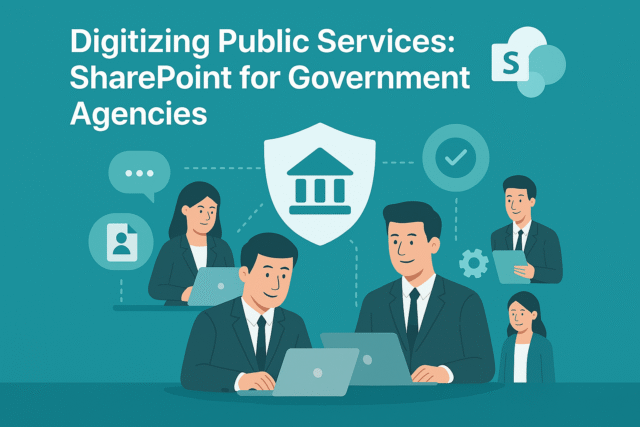
Digitizing Public Services for Government Agencies is no longer optional—it’s a necessity. Citizens expect fast, transparent, and accessible services. Traditional paper-based processes slow down service delivery and increase operational costs. Microsoft SharePoint offers a secure, scalable platform to modernize public services.
Why Is Digitization Important?
- Efficiency: Reduce paperwork and manual processes.
- Transparency: Improve accountability and citizen trust.
- Accessibility: Provide services online, anytime, anywhere.
Digitizing Public Services for Government Agencies ensures better governance and improved citizen experience.
2. Why Microsoft SharePoint?
Microsoft SharePoint is a robust platform for document management, collaboration, and workflow automation. It enables government agencies to build secure portals, manage records, and streamline processes.
Why Use SharePoint for Public Services?
- Secure Collaboration: Built-in compliance and encryption.
- Workflow Automation: Automate approvals and service requests.
- Integration: Works with Microsoft 365 and government systems.
- Scalability: Suitable for local, regional, and national agencies.
3. 10 Ways Microsoft SharePoint Transforms Public Service Delivery
Here are ten practical ways SharePoint digitizes public services:
1. Citizen Service Portals
Create online portals for service requests and applications.
Benefit: Improves accessibility and reduces in-person visits.
2. Document Management
Digitize and store official documents securely.
Benefit: Eliminates paper-based inefficiencies.
3. Workflow Automation
Automate approvals for permits, licenses, and benefits.
Benefit: Speeds up service delivery.
4. Secure Collaboration
Enable inter-departmental collaboration with role-based access.
Benefit: Protects sensitive government data.
5. Records Management
Maintain compliance with retention policies and audit trails.
Benefit: Simplifies regulatory reporting.
6. Integration with e-Government Systems
Connect SharePoint with ERP and CRM platforms.
Benefit: Creates a unified digital ecosystem.
7. Mobile Access
Provide staff and citizens access via mobile devices.
Benefit: Supports remote and field operations.
8. Public Announcements
Publish notices and updates on SharePoint sites.
Benefit: Enhances transparency and communication.
9. Feedback and Surveys
Collect citizen feedback through integrated forms.
Benefit: Improves service quality and engagement.
10. Analytics and Reporting
Generate dashboards for service performance metrics.
Benefit: Enables data-driven decision-making.
4. Key Benefits of Microsoft SharePoint for Government Agencies
- Improved Efficiency: Automates manual processes.
- Enhanced Security: Compliance-ready platform for sensitive data.
- Better Citizen Experience: Online portals and mobile access.
- Cost Savings: Reduces paper and administrative overhead.
- Scalability: Works for small municipalities and large agencies.
5. Common Use Cases
- Permit Applications: Automate submission and approval workflows.
- Public Records Access: Provide citizens with secure document access.
- Inter-Agency Collaboration: Share resources across departments.
- Policy Publishing: Distribute regulations and guidelines online.
- Citizen Feedback Collection: Use forms and surveys for engagement.
6. Real-World Examples of Microsoft SharePoint in Government Services
Here are detailed examples of how agencies use SharePoint:
Example 1: Municipal Government
A city government uses SharePoint for permit applications and document management.
- Result: Reduced processing time by 50% and improved citizen satisfaction.
Example 2: State Agency
A state agency leverages SharePoint for workflow automation and compliance reporting.
- Result: Streamlined approvals and simplified audits.
Example 3: National Tax Authority
A tax department uses SharePoint for secure collaboration and public announcements.
- Result: Increased transparency and reduced operational costs.
Example 4: Public Health Department
A health agency integrates SharePoint with feedback forms and analytics dashboards.
- Result: Improved service delivery and faster response to citizen needs.
7. Step-by-Step Guide to Setup Microsoft SharePoint
Follow these steps to implement SharePoint for public services:
- Sign in to SharePoint: Access via Microsoft 365 portal.
- Create Sites and Libraries: Organize by department or service type.
- Configure Permissions: Apply role-based access controls.
- Enable Workflows: Automate approvals and notifications.
- Integrate Apps: Connect ERP, CRM, and e-Government systems.
Pro Tip: Use SharePoint templates for government portals to speed up deployment.
8. Best Practices
- Apply Compliance Policies: Ensure adherence to regulations.
- Use Metadata for Documents: Improve search and retrieval.
- Enable Multi-Factor Authentication: Protect sensitive data.
- Regularly Review Audit Logs: Maintain transparency and security.
- Train Staff and Citizens: Promote adoption and usability.
9. Challenges and How to Overcome
While SharePoint simplifies digitization, agencies may face challenges:
- User Adoption: Provide training and support.
- Integration Complexity: Use certified connectors for government systems.
- Cost Management: Monitor premium feature usage.
- Compliance Updates: Stay informed about regulatory changes.
Solution: Start with core features and scale gradually.
10. Conclusion
Microsoft SharePoint redefines public service delivery by offering secure portals, workflow automation, and integrated collaboration tools. Government agencies that adopt SharePoint gain efficiency, transparency, and citizen trust.
🚀 Ready to Modernize Your Public Services?
Whether you’re a local municipality or a national agency, SharePoint can help you digitize processes, improve efficiency, and enhance citizen trust.
👉 Let Motekx help you get started.
We specialize in digital transformation for government agencies—offering free consulting, custom SharePoint setups, and end-to-end IT solutions tailored to your needs.
📞 Contact us today to schedule a free discovery session.
📧 Email: info@motekx.be
Let’s build smarter, faster, and more connected public services—together.
Oct 18, 2025 | SharePoint |
1. Introduction to Secure Patient Records for Healthcare
Secure Patient Records for Healthcare is a top priority for hospitals, clinics, and medical practices. Patient data includes sensitive information such as medical history, prescriptions, and insurance details. Protecting this data is not only a legal requirement under HIPAA and GDPR but also essential for maintaining patient trust.
Why Is Data Security Important in Healthcare?
- Compliance: Avoid penalties by meeting HIPAA and GDPR standards.
- Patient Trust: Secure systems build confidence in healthcare providers.
- Operational Efficiency: Digital records reduce paperwork and errors.
Secure Patient Records for Healthcare ensures confidentiality, integrity, and accessibility of medical data.
2. Why Microsoft SharePoint?
Microsoft SharePoint is a robust platform for document management and collaboration, designed with enterprise-grade security features. It helps healthcare organizations digitize records while maintaining compliance.
Why Use SharePoint for Healthcare Records?
- Encryption: Protects data at rest and in transit.
- Compliance Tools: Built-in HIPAA and GDPR support.
- Access Control: Role-based permissions for sensitive data.
- Integration: Works with Microsoft 365 and EHR systems.
3. 10 Ways Microsoft SharePoint Protects Patient Records
Here are ten practical ways SharePoint secures healthcare data:
1. Encrypted Storage
All patient records are encrypted at rest and in transit.
Benefit: Prevents unauthorized access during storage and transfer.
2. Role-Based Access Control
Assign permissions based on user roles (doctor, nurse, admin).
Benefit: Limits exposure of sensitive data.
3. Multi-Factor Authentication
Require MFA for all users accessing patient records.
Benefit: Adds an extra layer of security.
4. Data Loss Prevention (DLP)
Prevent accidental sharing of sensitive information.
Benefit: Ensures compliance with healthcare regulations.
5. Secure Document Libraries
Store medical records in dedicated, secure libraries.
Benefit: Organizes data and enhances security.
6. Compliance Auditing
Maintain logs for HIPAA and GDPR audits.
Benefit: Simplifies regulatory reporting.
7. Integration with EHR Systems
Connect SharePoint with electronic health record platforms.
Benefit: Creates a unified patient data ecosystem.
8. Mobile Security
Enable secure access on mobile devices with conditional policies.
Benefit: Supports doctors and nurses on the go.
9. Automated Workflows
Digitize processes like patient consent and insurance approvals.
Benefit: Reduces manual errors and speeds up operations.
10. Backup and Disaster Recovery
Ensure data redundancy and quick recovery in case of outages.
Benefit: Protects against data loss and downtime.
4. Key Benefits of Microsoft SharePoint for Healthcare Providers
- Regulatory Compliance: Built-in HIPAA and GDPR support.
- Enhanced Security: Encryption, MFA, and DLP policies.
- Improved Efficiency: Automates workflows and reduces paperwork.
- Better Patient Experience: Secure and fast access to records.
- Scalability: Works for small clinics and large hospital networks.
5. Common Use Cases
- Electronic Medical Records (EMR): Store and manage patient files securely.
- Consent Management: Automate patient consent workflows.
- Insurance Documentation: Digitize claims and approvals.
- Inter-Department Collaboration: Share data securely across departments.
- Compliance Reporting: Generate audit-ready logs and reports.
6. Real-World Examples of Microsoft SharePoint for Patient Data Security
Here are detailed examples of how healthcare organizations use SharePoint:
Example 1: Regional Hospital Network
A hospital network uses SharePoint for secure document libraries and compliance auditing.
- Result: Reduced HIPAA audit preparation time by 60%.
Example 2: Private Clinic
A clinic leverages SharePoint for role-based access and mobile security.
- Result: Improved data protection and faster patient care.
Example 3: Health Insurance Provider
An insurance company integrates SharePoint with automated workflows for claims processing.
- Result: Reduced processing time and improved accuracy.
Example 4: Telehealth Service
A telehealth provider uses SharePoint for secure file sharing and EHR integration.
- Result: Enhanced patient trust and streamlined virtual consultations.
7. Step-by-Step Guide to Setup Microsoft SharePoint
Follow these steps to implement SharePoint for healthcare records:
- Sign in to SharePoint: Access via Microsoft 365 portal.
- Create Secure Libraries: Organize by patient or department.
- Configure Permissions: Apply role-based access controls.
- Enable Compliance Features: Activate HIPAA and GDPR settings.
- Integrate Apps: Connect EHR and insurance systems.
Pro Tip: Use SharePoint templates for healthcare compliance to speed up deployment.
8. Best Practices
- Enable MFA for All Users: Reduce unauthorized access risks.
- Apply DLP Policies: Prevent accidental data leaks.
- Use Metadata for Records: Improve search and retrieval.
- Regularly Review Audit Logs: Maintain compliance and detect anomalies.
- Train Staff on Security Protocols: Promote best practices.
9. Challenges and How to Overcome
While SharePoint simplifies healthcare data management, organizations may face challenges:
- User Adoption: Provide training and onboarding sessions.
- Integration Complexity: Use certified connectors for EHR systems.
- Cost Management: Monitor premium feature usage.
- Compliance Updates: Stay informed about regulatory changes.
Solution: Start with core security features and scale gradually.
10. Conclusion
Microsoft SharePoint transforms healthcare data management by offering encrypted storage, compliance tools, and workflow automation. Providers that adopt SharePoint gain efficiency, security, and patient trust.
🚀 Ready to Revolutionize Your Healthcare IT?
Whether you’re managing a single clinic or a multi-location hospital network, SharePoint can secure your patient records and streamline operations.
👉 Let Motekx help you get started.
We specialize in digital transformation for healthcare organizations—offering free consulting, custom SharePoint setups, and end-to-end IT solutions tailored to your needs.
📞 Contact us today to schedule a free discovery session.
📧 Email: info@motekx.be
Let’s build a safer, smarter, and more connected healthcare system—together.
Oct 18, 2025 | SharePoint |
1. Introduction to Document Management in Manufacturing Plants
Document Management in Manufacturing Plants is critical for maintaining operational efficiency, compliance, and safety. Manufacturing environments generate vast amounts of documentation—such as SOPs, quality control reports, maintenance logs, and compliance certificates. Managing these documents manually leads to inefficiencies and risks.
Why Is Document Management Important?
- Compliance: Meet ISO, OSHA, and industry standards.
- Operational Efficiency: Reduce downtime caused by missing or outdated documents.
- Data Security: Protect sensitive production and design information.
Document Management in Manufacturing Plants ensures accuracy, accessibility, and compliance across all operations.
2. Why Microsoft SharePoint?
Microsoft SharePoint is a robust platform for document storage, collaboration, and workflow automation. It provides manufacturing plants with a centralized, secure, and scalable solution for managing critical documents.
Why Use SharePoint for Manufacturing?
- Secure Storage: Built-in encryption and compliance features.
- Workflow Automation: Streamline approvals and document updates.
- Integration: Works with ERP, MES, and Microsoft 365 tools.
- Scalability: Suitable for single plants or global manufacturing networks.
3. 10 Ways Microsoft SharePoint Enhances Document Management
Here are ten practical ways SharePoint transforms document control in manufacturing:
1. Centralized Document Repository
Store all SOPs, manuals, and compliance documents in one secure location.
Benefit: Eliminates duplication and improves accessibility.
2. Version Control
Track changes and maintain the latest document versions.
Benefit: Prevents errors caused by outdated information.
3. Role-Based Access
Assign permissions based on job roles (operators, supervisors, auditors).
Benefit: Protects sensitive data and ensures compliance.
4. Workflow Automation
Automate document approval processes for quality and compliance.
Benefit: Speeds up updates and reduces manual errors.
5. Mobile Access
Enable staff to access documents on tablets and smartphones.
Benefit: Supports shop-floor operations and remote audits.
6. Integration with ERP and MES
Connect SharePoint with enterprise systems for real-time data sync.
Benefit: Creates a unified digital ecosystem.
7. Compliance Management
Apply retention policies and audit trails for ISO and OSHA standards.
Benefit: Simplifies regulatory reporting.
8. Secure File Sharing
Share documents with suppliers and contractors securely.
Benefit: Enhances collaboration without compromising security.
9. Document Tagging and Metadata
Use metadata for quick search and categorization.
Benefit: Improves retrieval and reduces downtime.
10. Automated Alerts
Notify teams about document updates or compliance deadlines.
Benefit: Ensures timely actions and reduces risks.
4. Key Benefits of Microsoft SharePoint for Manufacturing
- Improved Efficiency: Centralized storage and automated workflows.
- Enhanced Security: Encryption, MFA, and compliance tools.
- Better Collaboration: Secure sharing with internal and external stakeholders.
- Cost Savings: Reduces paper-based processes and manual errors.
- Scalability: Works for small plants and global enterprises.
5. Common Use Cases
- Standard Operating Procedures (SOPs): Store and update SOPs securely.
- Quality Control Reports: Automate approval workflows for QC documents.
- Maintenance Logs: Digitize and track equipment maintenance records.
- Compliance Certificates: Manage ISO and OSHA documentation.
- Supplier Collaboration: Share technical specifications securely.
6. Real-World Examples of Microsoft SharePoint for Document Control
Here are detailed examples of how manufacturing plants use SharePoint:
Example 1: Automotive Manufacturer
An automotive company uses SharePoint for centralized SOP storage and version control.
- Result: Reduced production errors by 30% and improved compliance audits.
Example 2: Food Processing Plant
A food manufacturer leverages SharePoint for workflow automation and compliance management.
- Result: Faster approval cycles and zero missed regulatory deadlines.
Example 3: Electronics Factory
An electronics plant integrates SharePoint with ERP systems for real-time document updates.
- Result: Improved operational efficiency and reduced downtime.
Example 4: Global Chemical Company
A chemical manufacturer uses SharePoint for secure supplier collaboration and document tagging.
- Result: Enhanced supply chain transparency and faster product launches.
7. Step-by-Step Guide to Setup Microsoft SharePoint
Follow these steps to implement SharePoint for document management:
- Sign in to SharePoint: Access via Microsoft 365 portal.
- Create Document Libraries: Organize by department or process.
- Configure Permissions: Apply role-based access controls.
- Enable Workflows: Automate approvals and notifications.
- Integrate Apps: Connect ERP, MES, and compliance tools.
Pro Tip: Use SharePoint templates for manufacturing operations to speed up deployment.
8. Best Practices
- Apply Metadata: Improve search and categorization.
- Enable MFA for All Users: Reduce unauthorized access risks.
- Regularly Review Audit Logs: Maintain compliance and detect anomalies.
- Train Staff on SharePoint Usage: Promote adoption and efficiency.
- Schedule Document Reviews: Keep SOPs and compliance documents updated.
9. Challenges and How to Overcome
While SharePoint simplifies document management, manufacturing plants may face challenges:
- User Adoption: Provide training and onboarding sessions.
- Integration Complexity: Use certified connectors for ERP and MES systems.
- Cost Management: Monitor premium feature usage.
- Compliance Updates: Stay informed about regulatory changes.
Solution: Start with core features and scale gradually.
10. Conclusion
Microsoft SharePoint revolutionizes document management in manufacturing plants by offering secure storage, workflow automation, and compliance tools. Plants that adopt SharePoint gain efficiency, accuracy, and regulatory confidence.
🚀 Ready to Transform Your Manufacturing Operations?
Whether you’re running a single plant or managing a global supply chain, SharePoint can revolutionize how your teams handle documents, collaborate, and stay compliant.
👉 Let Motekx help you get started.
We specialize in digital transformation for manufacturing and industrial businesses—offering free consulting, custom SharePoint setups, and end-to-end IT solutions tailored to your needs.
📞 Contact us today to schedule a free discovery session.
📧 Email: info@motekx.be
Let’s build smarter, faster, and more connected manufacturing—together.